Bottom line: Learning how to take product pictures at home requires natural indirect daylight, a stable smartphone camera mount, and white foam bounce boards to eliminate harsh shadows. High-converting product photos prioritize authentic color accuracy, crisp focus, and clear visual scale over expensive studio equipment.
What you need to know before shooting:
- Natural light beats cheap lamps: Indirect window daylight provides soft, color-accurate illumination without harsh yellow glare.
- Stabilization prevents blur: Using a tabletop tripod and camera timer eliminates hand shake and ensures pin-sharp image focus.
- White bounce boards fill shadows: Inexpensive foam poster boards reflect window light back into dark edges for balanced studio lighting.
- Show accurate scale: Including hands, contextual props, or standard everyday objects helps shoppers evaluate exact product dimensions.
Why do product photos directly determine e-commerce conversion rates?
Product photos determine conversion rates because online shoppers cannot touch or inspect physical merchandise before paying. Clear imagery builds trust fast. It answers visual questions about material texture. It cuts return requests drastically.
In crowded online marketplaces, your main listing image functions as your primary storefront window display. Shoppers scroll fast. They skim past dozens of search results in seconds. Blurry, dark, or yellow-tinted photos signal amateur craftwork, prompting buyers to click elsewhere immediately. Crisp, well-lit photography commands higher prices. It supports sustainable pricing formulas as outlined in our guide on how to price handmade items.
Professional product photography does not require thousands of dollars in studio gear. It demands disciplined light direction, consistent framing, and honest color representation that accurately reflects the physical product arriving on the buyer’s doorstep. When customers receive exactly what they saw in listing photos, positive reviews follow naturally.
Consider the psychology of an online buyer browsing marketplace listings late at night. They want certainty. They need to see the weave of the fabric, the clasp on a necklace, and the exact shade of blue on a handmade ceramic mug. Providing multiple crisp angles removes hesitation. It speeds up buying decisions across all catalog categories.
E-commerce algorithms reward listings with high click-through rates. When your search thumbnail looks sharp and clear compared to muddy competitor photos, shoppers click your item first. That initial surge in organic clicks signals relevance to the search engine. It gives your shop higher ranking velocity.
How to take product pictures in four simple steps
To capture professional product photos systematically, move through four sequential steps: cleaning physical items, positioning natural light, framing with camera grids, and calibrating final color balance.
An orderly shooting sequence ensures you capture every needed listing angle in a single afternoon. You avoid tearing down and rebuilding your setup repeatedly. Work clean. Work steady. The table below outlines the four core steps, required equipment, and specific outputs for each milestone.
| Photography Step | Primary Action | Required Tools | Core Deliverable |
|---|---|---|---|
| 1. Item Preparation | Clean dust, steam fabrics, and inspect seams | Lint roller, microfiber cloth, steamer | Flawless physical product specimen |
| 2. Lighting Setup | Stage table at 90-degree angle to window | Window, sheer curtain, foam bounce board | Diffuse, shadow-free illumination |
| 3. Camera Framing | Lock exposure, align grid, use 3s timer | Smartphone, tabletop tripod | Sharp hero, detail, and scale shots |
| 4. Color Calibration | Adjust white balance and crop to square | Mobile editing app, neutral reference | Accurate, true-to-life product images |
Take time to steam garment wrinkles and wipe dust from polished surfaces during preparation. Fine dust specks and fabric creases show up instantly under high-resolution smartphone lenses. Clean surfaces first. Cleaning beforehand saves hours of frustrating manual retouching later.
During step three, take at least five distinct shots for each product: a straight-on hero shot, a 45-degree angle perspective, a close-up detail shot showing textures or tags, a scale shot with a known object or model hand, and a packaging shot showing how the item arrives. This comprehensive visual coverage addresses every prospective buyer question before they even ask.
Work methodically through your entire batch of inventory. If you have ten ceramic bowls to photograph, clean all ten first, then shoot the hero angles for all ten under the exact same lighting conditions. Batching your workflow maintains visual consistency across your online store catalog and cuts overall production time in half.
What essential items create a budget home photo studio?
You can build a highly effective home photo studio for under $10 using two sheets of white foam core board, a roll of painter tape, a north-facing window, and your existing smartphone camera.
Avoid buying cheap artificial light kits from online discounters. Inexpensive LED panels often emit uneven color spectrums that create harsh shadows and greenish skin tones. Instead, take advantage of the best free light source available: natural diffused daylight.
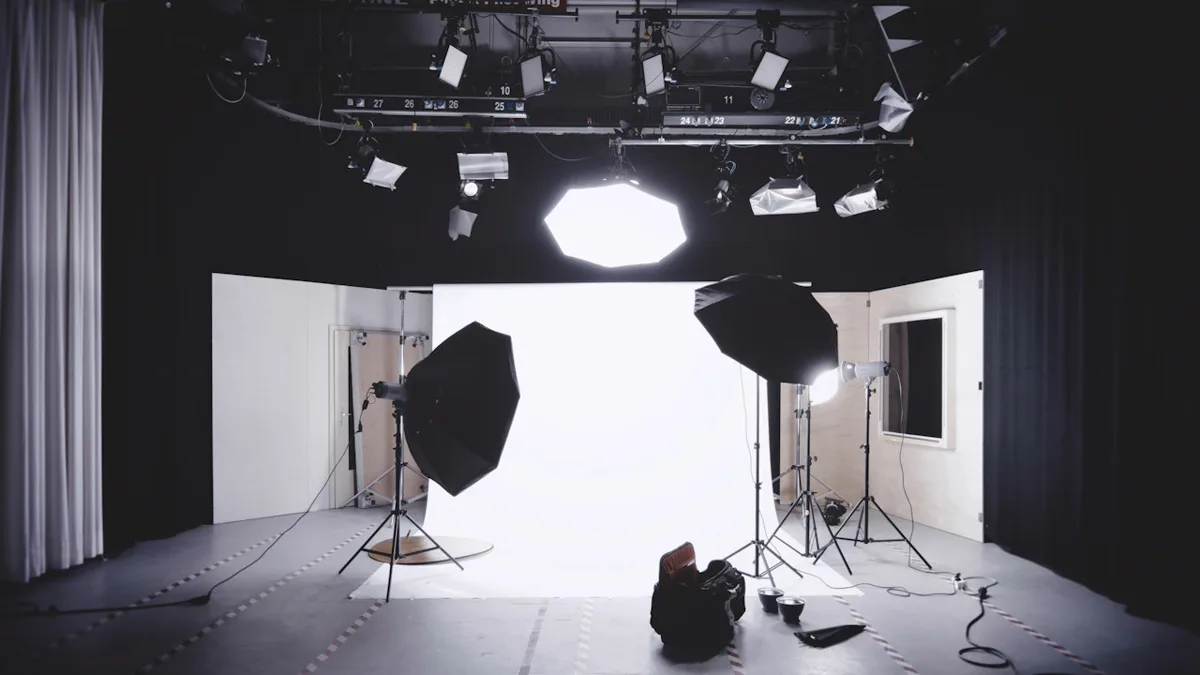
Assemble these essential low-cost studio tools:
- North or east-facing window: Provides consistent, indirect daylight that remains soft throughout morning and early afternoon hours.
- White foam core poster boards ($3 to $5): One board functions as a seamless clean tabletop background, while a second board bounces light into shadows.
- Sheer white curtain ($4 to $8): Hangs across the window to soften direct sunbeams and eliminate harsh contrast lines.
- Tabletop phone tripod ($10 to $15): Holds your smartphone steady at consistent angles across entire product collections.
- Neutral styling props ($0 to $10): Dried eucalyptus, linen swatches, or wooden blocks that complement your brand without distracting from the main item.
Set up your studio table directly perpendicular to the window. Sunlight should enter from the left or right side rather than directly behind or in front of the camera. Place your second foam core board on the opposite side of the table, facing the window. This simple reflector catches incoming light and bounces it back into the shadowy side of your item, creating a gentle, balanced look across the entire frame.
If direct sunlight creates hard edge shadows on your backdrop, tape a cheap white shower curtain liner or sheer fabric panel over the window glass. This diffuser spreads the light beam evenly across your staging area, mimicking an expensive commercial photography softbox.
Small investments in simple positioning props pay big dividends. Use clear museum putty to hold rolling pens. Use ring stands to display jewelry upright. Add small wooden riser blocks to create visual depth. These inexpensive staging aids keep items in place while you adjust camera settings.
How do you master flat lay photography for small items?
You master flat lay photography by mounting your camera directly parallel to the table surface, enabling grid lines to keep edges straight, and arranging supporting props with balanced negative space around the central product.
Flat lay photography is especially effective for stationery, apparel prints, jewelry, and small handmade accessories. When shooting overhead, keep your primary merchandise as the dominant focal point in the frame. Place supporting props at subtle diagonal angles to guide the viewer’s eye toward your product rather than competing for attention.
Maintain consistent background textures across your shop catalog. Whether you choose matte white foam board, smooth birch plywood, or neutral unbleached linen, using the same background aesthetic unifies your storefront and reinforces brand recognition for returning shoppers.
Leave ample negative space around your product borders. Tightly cropped images make listings feel cramped on mobile screens. Give your items breathing room. Giving your items breathing room allows marketplace search algorithms to display thumbnails cleanly without cropping off important corners.
Watch your own shadow when standing directly above flat lay staging areas. If your body blocks incoming window light, step back slightly and zoom in to 2x optical magnification on your smartphone lens. This simple adjustment removes your overhead shadow completely. It prevents barrel distortion on straight product edges.
When should you build a DIY lightbox for shiny products?
You should build a DIY lightbox when photographing highly reflective items like polished jewelry, glassware, enamel pins, or metallic mugs to eliminate distracting reflections and control specular highlights.
Reflective products act like tiny mirrors. They catch room clutter and window frames on their glossy surfaces. A DIY lightbox encloses the item within translucent white walls that diffuse incoming light from all directions, producing a clean, continuous glow across metallic and glassy edges.

You can build a functional DIY lightbox in twenty minutes using an ordinary cardboard storage box. Cut large square openings into three sides. Tape white tissue paper or baking parchment over the cutouts. Line the interior with a smooth sheet of white poster board. Placing tabletop desk lamps on the outside of the tissue panels floods the interior with gentle, shadow-free light.
When using artificial desk lamps with your lightbox, ensure both light bulbs share the exact same color temperature rating, preferably 5000K daylight balanced LEDs. Mixing warm yellow bulbs with cool white bulbs creates conflicting color casts that are almost impossible to fix during mobile editing.
Clean your reflective items thoroughly before placing them inside the lightbox. Wear soft cotton gloves when handling polished silver, acrylic keychains, or gloss stickers. Fingerprint oils show up as glaring white blemishes under bright diffused lighting.
How do you calibrate smartphone camera settings and editing?
To calibrate your smartphone camera, turn off artificial portrait blur filters, tap to focus on the product texture, lock the automatic exposure setting, and use the 3-second self-timer to prevent motion blur when tapping the shutter button.
During post-processing, your primary goal is color accuracy rather than artistic moodiness. Avoid applying heavy aesthetic filters that shift garment hues, as altered colors lead to dissatisfied customers when physical packages arrive in the mail. When sellers manage their digital catalog as described in how to start a print on demand business, realistic imagery ensures long-term customer trust.
Follow this simple mobile editing protocol:
- Crop and straighten: Align horizontal table lines and crop images to standard square (1:1) or horizontal (4:3) marketplace aspect ratios.
- Adjust white balance: Warm or cool the color temperature until white background areas look truly neutral without yellow or blue casts.
- Lift shadows slightly: Increase shadow brightness by 5% to 10% to reveal fine craft textures in darker areas.
- Verify contrast: Boost contrast moderately to make product colors pop while maintaining accurate saturation levels.
Always inspect your edited product photos across multiple screens before uploading them live. Check the image on your computer monitor. Check it on your phone screen at full brightness. If colors look rich, textures look sharp, and white backgrounds look clean on both devices, your photos are ready to publish.
Organize your finished image files with systematic naming conventions before uploading to your store. Use descriptive file names like brand-product-angle.webp instead of generic camera codes like IMG_9482.jpg. Clean file naming supports image search indexing and simplifies catalog management as your inventory expands.
Final verdict on taking product pictures
Mastering how to take product pictures at home is one of the highest-leverage skills for any creative side business. By harnessing natural window light, stabilizing your smartphone with a tripod, and practicing honest color calibration, you can produce clean, professional catalog photos that drive clicks, build customer confidence, and increase sales.
How we researched this guide: Fee and policy details are taken from the platforms’ own help pages, which change often. We used AI to draft the post and then reworked it; nothing here is tax or legal advice.
Sources: Shopify Photography Guide, Etsy Photography Advice, B&H Studio Setup Guide.
Seller questions
Do you need an expensive DSLR camera to take professional product photos?
No, modern smartphone cameras capture excellent detail, dynamic range, and resolution when paired with good natural window lighting and stable tripod mounting.
What is the best lighting setup for product photography at home?
The best setup uses indirect daylight from a large window at a 90-degree angle, paired with a white foam core bounce board on the opposite side to soften shadows.
How do you build a functional DIY lightbox on a budget?
Cut windows into three sides of a cardboard box, cover the openings with white tissue paper or parchment, and line the inside with curved white poster board.
What background materials make handmade items and apparel stand out best?
Neutral matte surfaces like white foam core, light birch wood, clean slate, or unbleached linen fabric provide contrast without distracting from product details.